Import your first product with Migratify
This guide walks you through your first import, from installing Migratify to seeing the product in your Shopify admin. It takes about two minutes.
Before you start
- Migratify needs a paid Shopify plan. Stores on Shopify's free trial can install the app but can't import until they upgrade their Shopify plan.
- The Free plan lets you import up to 5 products, so you can try everything before upgrading.
Import a product
- Install Migratify from the Shopify App Store and open it from your Shopify admin.
- Go to the Import page.
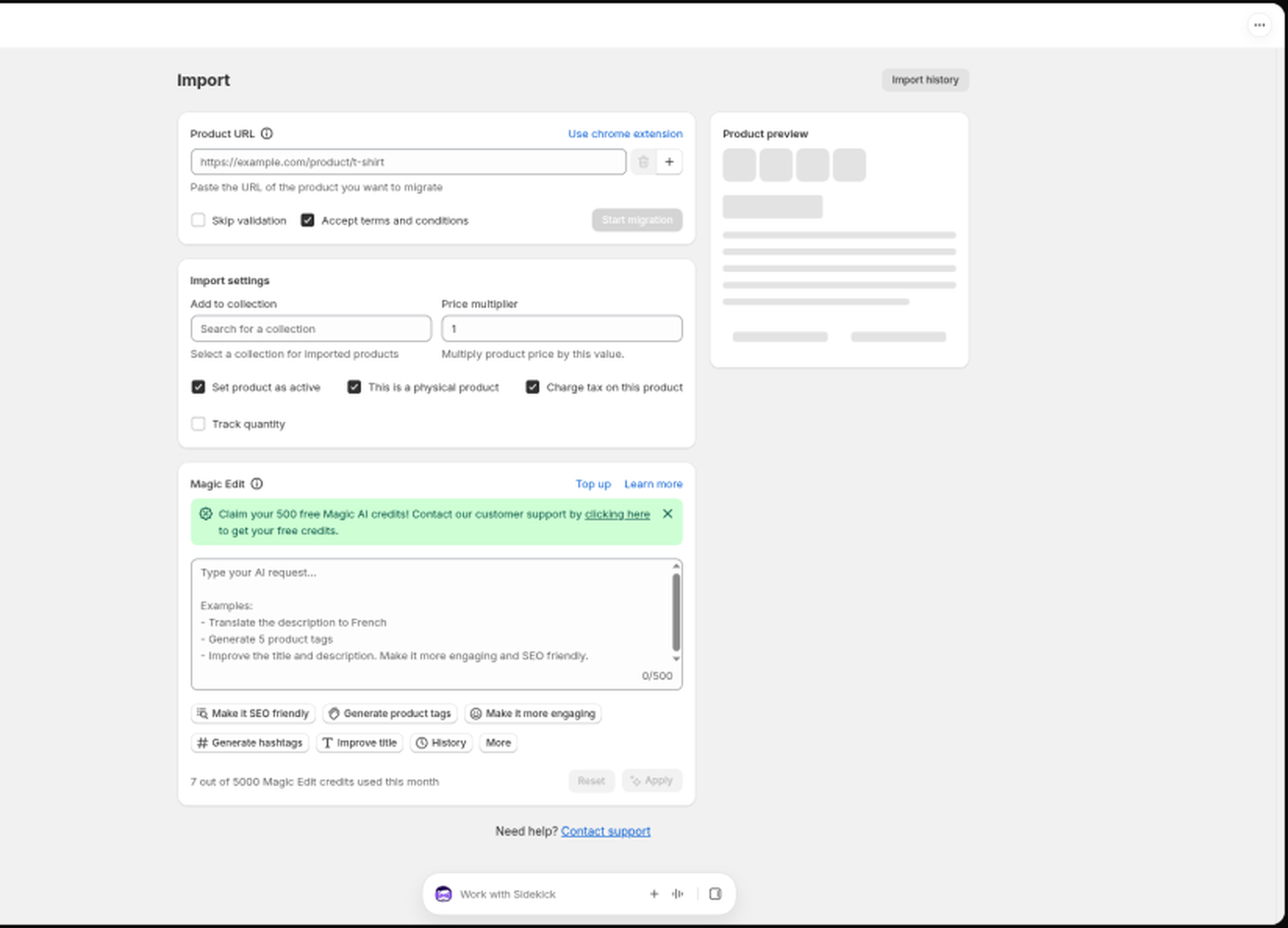
- In the Product URL card, paste the URL of the product you want to import. You can paste a link from a Shopify store, Amazon, Etsy, and many other platforms.
- Wait a moment while Migratify checks the URL. When it finds the product, you'll see it in the Product preview column on the right.
- Review the preview. Click a product to see its images, description, price, and variants.
- Adjust the Import settings if needed (see Choose your import settings).
- Click Start migration.
Migratify shows a progress bar while it works. When it finishes, click View products to open the imported products in your Shopify admin.
What gets imported
Each product comes over with its title, description, images, variants and options, price, compare-at price, weight (when the source provides it), SKU, barcode, tags, vendor, and product type.
Next steps
- Import a whole store or collection at once: Import an entire Shopify store or collection
- Importing from Shopee, AliExpress, Temu, or Shein? You'll need the Chrome extension: Import from protected websites with the Chrome extension
- Let AI polish your product content during import: Edit products with AI using Magic Edit
Still stuck? Message us from the chat widget and we'll help.