Train the AI with your knowledge base
The Knowledge base is where you control what RagChat knows about your store. The more it knows, the more questions it can answer without your help.
Open RagChat and go to Knowledge base. You'll see three tabs: Sources, Q&A, and Gaps. This article covers the Sources tab. For the other two, see Add Q&A overrides and Fill knowledge gaps.
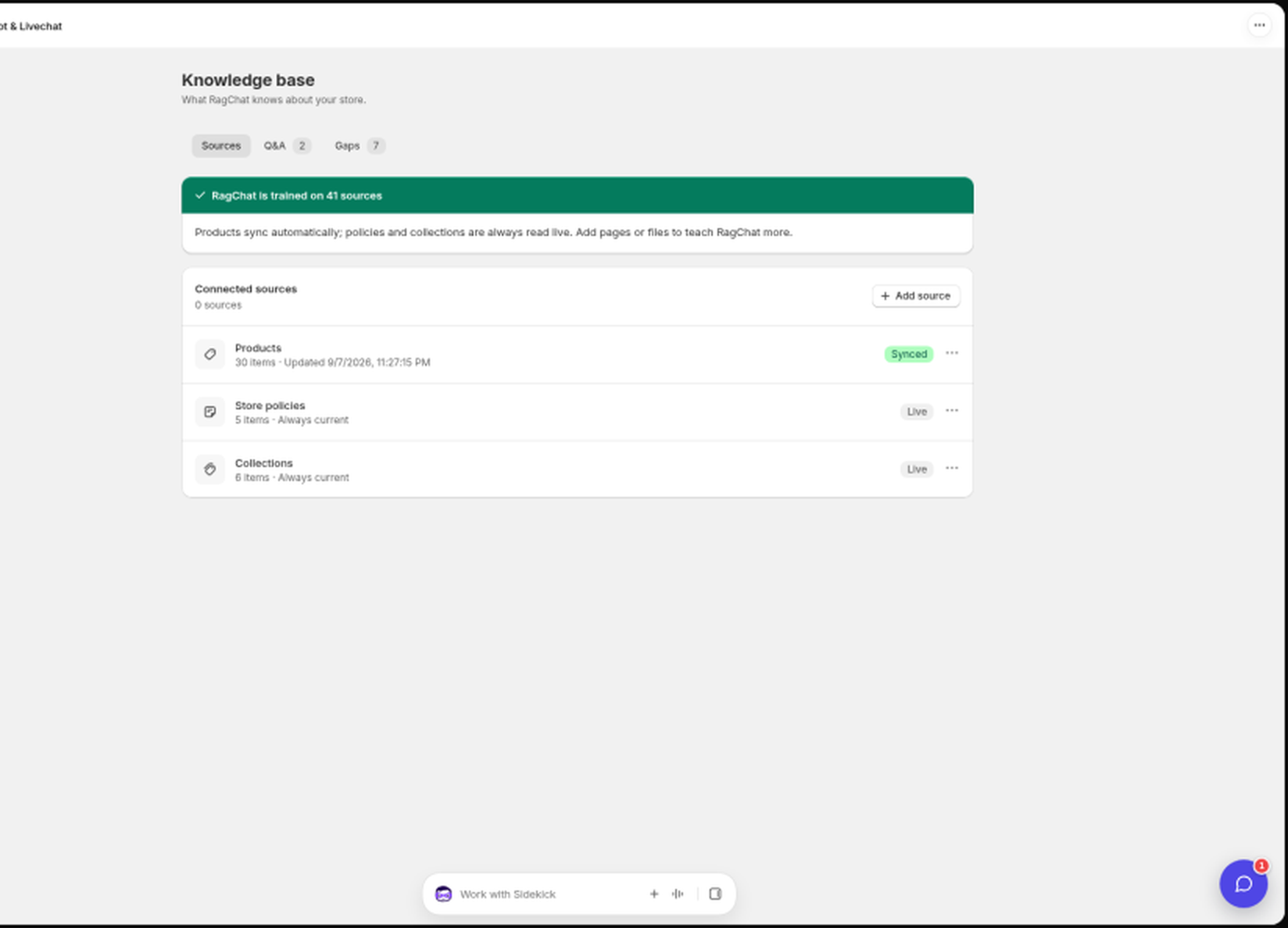
What RagChat learns automatically
Some knowledge needs no setup at all:
- Products sync automatically from your store, including prices, variants, and stock. How many products the AI learns depends on your plan (200 on Free, 1,000 on Standard, 5,000 on Pro). See Plans and pricing.
- Policies (shipping, returns, and so on) and collections are always read live from Shopify, so they are never out of date.
Add your own sources
You can teach RagChat more by adding sources yourself. Adding sources requires the Standard plan or higher.
- On the Sources tab, click Add source.
- Pick one of the three tabs in the Add knowledge source modal:
- Add a URL: paste a page URL (for example a size guide or FAQ page on your site). RagChat indexes that single page.
- Upload a file: drop a PDF, TXT, or MD file, up to 20 MB.
- Shopify pages: pick published pages from your store (FAQ, shipping info, and so on).
- The source appears in the list and starts syncing.
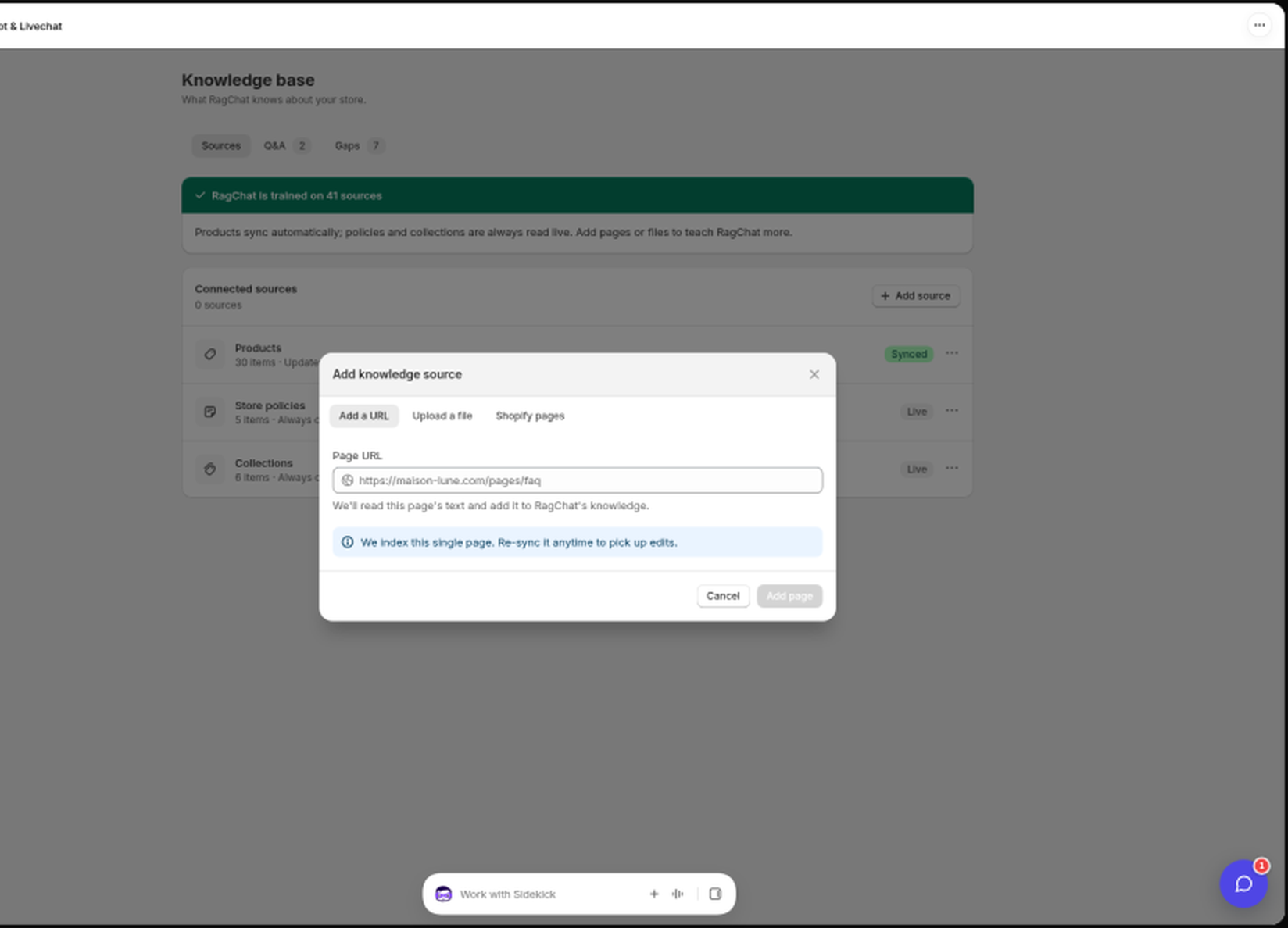
The Standard plan includes up to 25 sources; Pro has no limit. The usage line at the top of the Sources card shows how many you have used.
Keeping sources up to date
Sources you add are indexed once, when you add them. If you later edit the page or Shopify page behind a source, open its row menu and click Re-sync now to pick up your changes.
File sources have no re-sync: to update one, upload the file again as a new source and remove the old one.
Products, policies, and collections are the exception. They keep themselves current with no action from you.
Sync statuses
Each source shows a badge:
- Synced: indexed and ready.
- Live: always current, read directly from Shopify (policies and collections).
- Syncing or Pending: being processed, usually done within a minute.
- Error: the sync failed. Open the row menu and click Re-sync now.
From the same row menu you can also Visit page, Manage in Shopify, or Remove source. Removing a source removes that knowledge from the AI.
Still stuck? Message us from the chat widget and we'll help.