What is Edify?
Edify is a bulk editor for your Shopify catalog. You pick the items you want to change with filters, choose your edits, check the preview, then apply everything at once or schedule it for later.
What you can do with Edify
- Edit products, variants, and collections in bulk, across 17 fields. See Fields you can edit in bulk.
- Change prices and compare-at prices by an amount or a percentage, or round them to endings like $X.99. Edit every variant of the products you pick, or only specific variants. See Bulk edit prices and compare-at prices.
- Rename product options and option values across many products, for example Colour to Color. See Rename variant options in bulk.
- Turn Charge tax on or off for many variants at once. See Fields you can edit in bulk.
- Target the right items with filters such as collection, vendor, tag, product type, status, price, inventory, option name or value, and charge tax, and combine them with AND or OR. See Choose which products to edit with filters.
- Run several edits in one task, for example change titles and add a tag together.
- Preview which items match before anything changes.
- Schedule an edit for later and revert it automatically, which is handy for sales.
- See the old and new value of every edited item in History, and undo a whole task with one click. See View history and undo an edit.
How Edify is organized
| Page | What it's for |
|---|---|
| Dashboard | Setup Guide, your stats (Total Tasks, Products Edited, Success Rate), quick actions, and recent tasks |
| Bulk Edit | Build an edit: what to edit, filters, actions, preview, then Run now or Schedule |
| History | Every task with its status, progress, and the old and new values it changed. Revert, cancel, or delete tasks here |
| Settings | App language and the timezone used for scheduled edits |
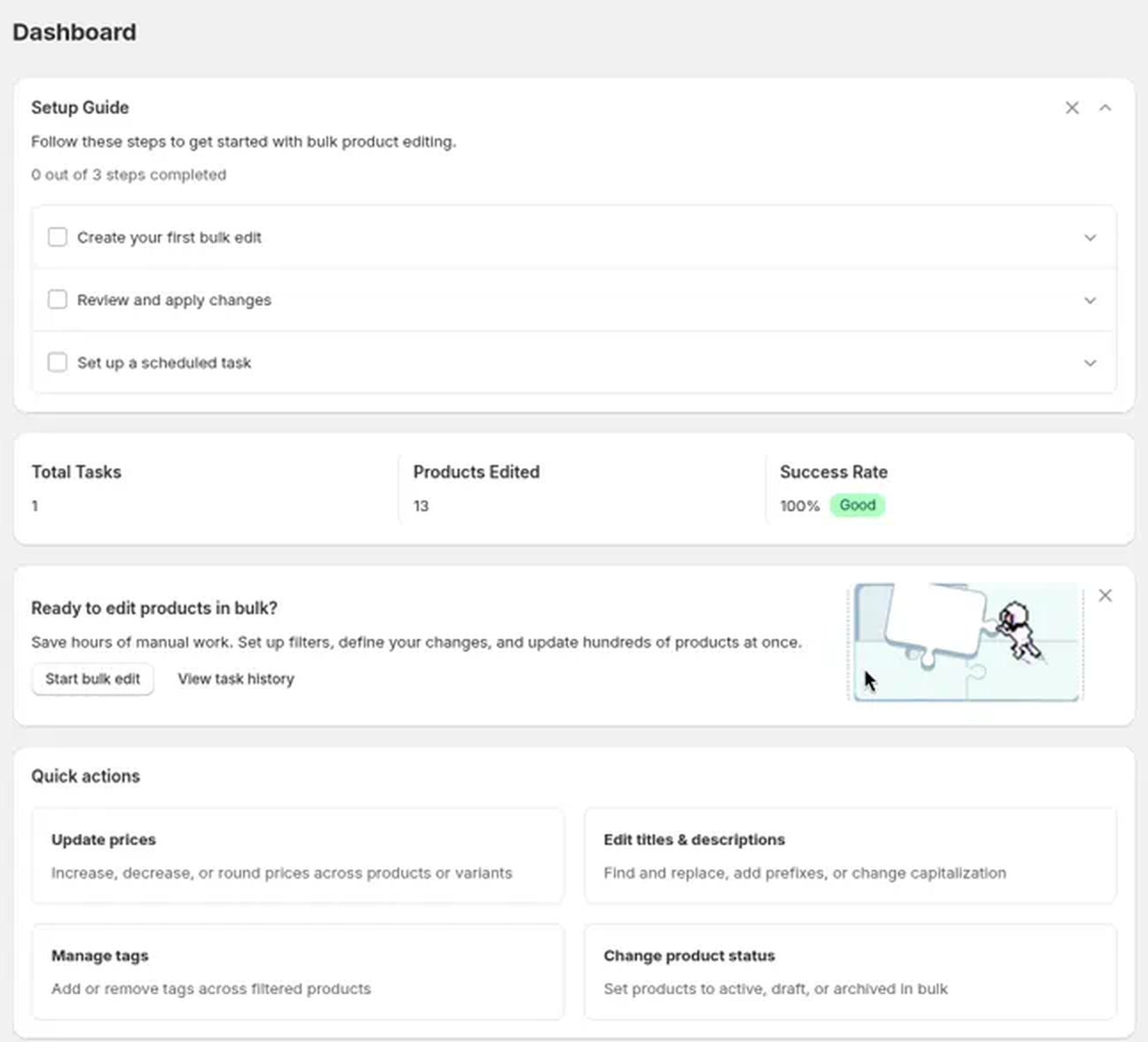
The Quick actions on the Dashboard are shortcuts. Update prices, Edit titles & descriptions, Manage tags, and Change product status each open Bulk Edit with a starting setup for that job, all with Products selected. For example, Update prices picks Price for you.
Good to know
- Edify is free. See Is Edify free?
- Edify edits catalog details only. It doesn't change orders, stock levels, or tax settings other than Charge tax on variants. See What Edify can and can't edit.
- The app is available in English, German, Spanish, French, and Portuguese. Change it in Settings → App language.
Next step
Follow Make your first bulk edit to run your first task in a few minutes.
Still stuck? Message us from the chat in the app and we'll help.