Custom CSS not applying to the widget
You added custom CSS in Settings but the widget looks unchanged. Two things fix this in almost every case.
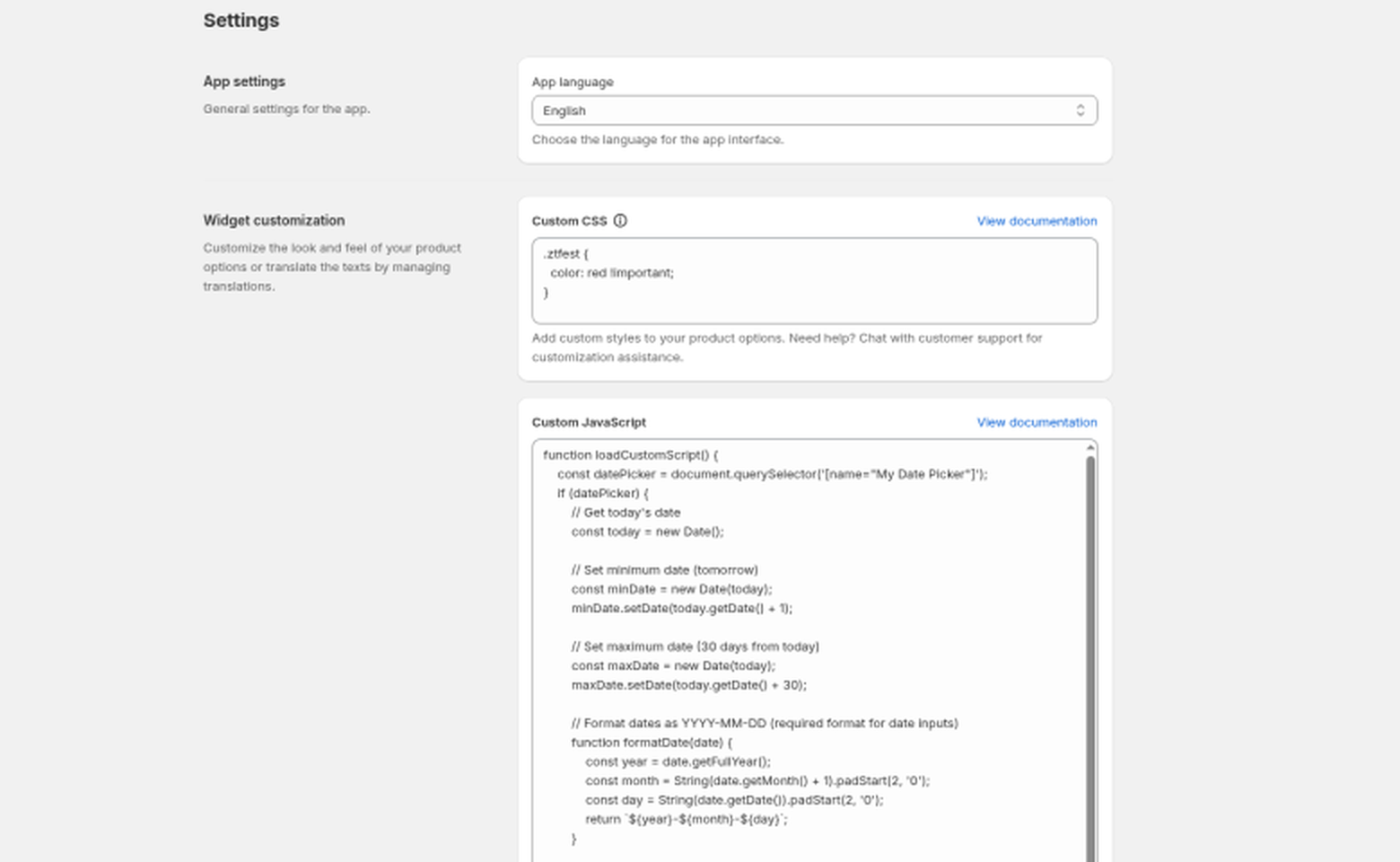
1. Add !important
Your theme's stylesheet usually has more specific rules than yours, so it wins. Add !important to each declaration that isn't applying:
.oz__option-label {
  color: #1a1a1a !important;
  font-size: 16px !important;
}
2. Check your selectors
The widget's elements all use class names starting with oz__. If you're targeting a class that doesn't exist, nothing happens. Invented names like .oz__button or .oz__swatch do not exist. Use the real class names listed in Customize the widget with settings, CSS, and JavaScript. For example, Button values use .oz__option-element-button, and color swatches use .oz__option-element-color-swatch:
.oz__option .oz__option-element-button { border-radius: 0 !important; }
To find the right class on your page:
- Open a product page with the options visible.
- Right-click the element you want to style and choose Inspect.
- Use the
oz__...class you see there in your CSS.
Still unchanged?
- Hard-refresh the product page (Cmd+Shift+R on Mac, Ctrl+Shift+R on Windows) to skip cached styles.
- Make sure you saved the settings and are viewing the store where the app is installed.
Still stuck? Message us from the chat in the app and we'll help.