Customize the widget with settings, CSS, and JavaScript
The Settings page controls how the options widget behaves and looks on your storefront, including custom CSS and JavaScript and advanced selectors for theme compatibility.
General settings
- App language: the language of the Optionize admin interface.
- Allow direct access to add-on products: by default, customers who land on one of Optionize's hidden add-on product pages are redirected to your home page. Turn this on to let them view those pages instead.
- Disable unavailable options: greys out option values whose linked add-on product is out of stock, so customers can't pick something you can't fulfill.
- Add-on products require shipping: keep this on if you sell physical products, so Shopify charges tax on paid add-ons the same way as the main product. Turn it off only if your add-ons are services or digital goods. See Add-on products require shipping below.
Add-on products require shipping
This checkbox is under Other customization in Settings, and it's on by default. It decides whether the add-on products Optionize creates for paid options are physical products that need shipping.
- On: add-ons are physical, so Shopify Tax charges them the same way as the main product.
- Off: add-ons don't require shipping. Use this if your add-ons are services or digital goods. Shopify Tax may then treat them as digital goods, which some places don't tax.
With it on, add-on lines are handled like any other physical item:
- Add-on products may appear in your General shipping profile in Shopify. Optionize doesn't place them in a shipping profile itself.
- Shipping, 3PL, and fulfillment apps may list add-on lines as items to fulfill. Check how your app handles them. If your add-ons aren't physical, turn the setting off.
- Add-on lines can print on your packing slip. See Show options on your packing slip.
How existing add-on products update:
- When you change the checkbox and save Settings, Optionize updates your existing add-on products in the background. They're edited in place, so your option sets and customers' carts keep pointing at the same products.
- If you never change the checkbox, add-on products created before this setting existed don't require shipping yet. They switch over the next time Optionize syncs your option sets, for example when you save a change to an option set, turn one on or off, or import option sets.
- Only add-on products your option sets still use are updated. Unused ones are removed by Optionize as usual.
- If Shopify rejects an update, Optionize tries again on the next sync.
- Your own products linked as add-ons keep their own shipping setting. See Link add-on products to option values.
Custom CSS
Add your own CSS to restyle the widget. The widget's elements use class names starting with oz__.
Common classes:
.oz__optionwraps each option.oz__option-labelis the option title.oz__option-valuesis the row of values (flex, wraps onto new lines).oz__option-element-buttonis a Button value (default border-radius 40px).oz__option-value--selectedmarks the selected value.oz__option-element-color-swatchis a color swatch (round by default).oz__option-element-image-swatchis an image swatch
Classes like .oz__button or .oz__swatch do not exist. Use the real names above (for example .oz__option-element-button and .oz__option-element-color-swatch).
- Go to Settings and open the custom CSS field.
- Add your rules and save.
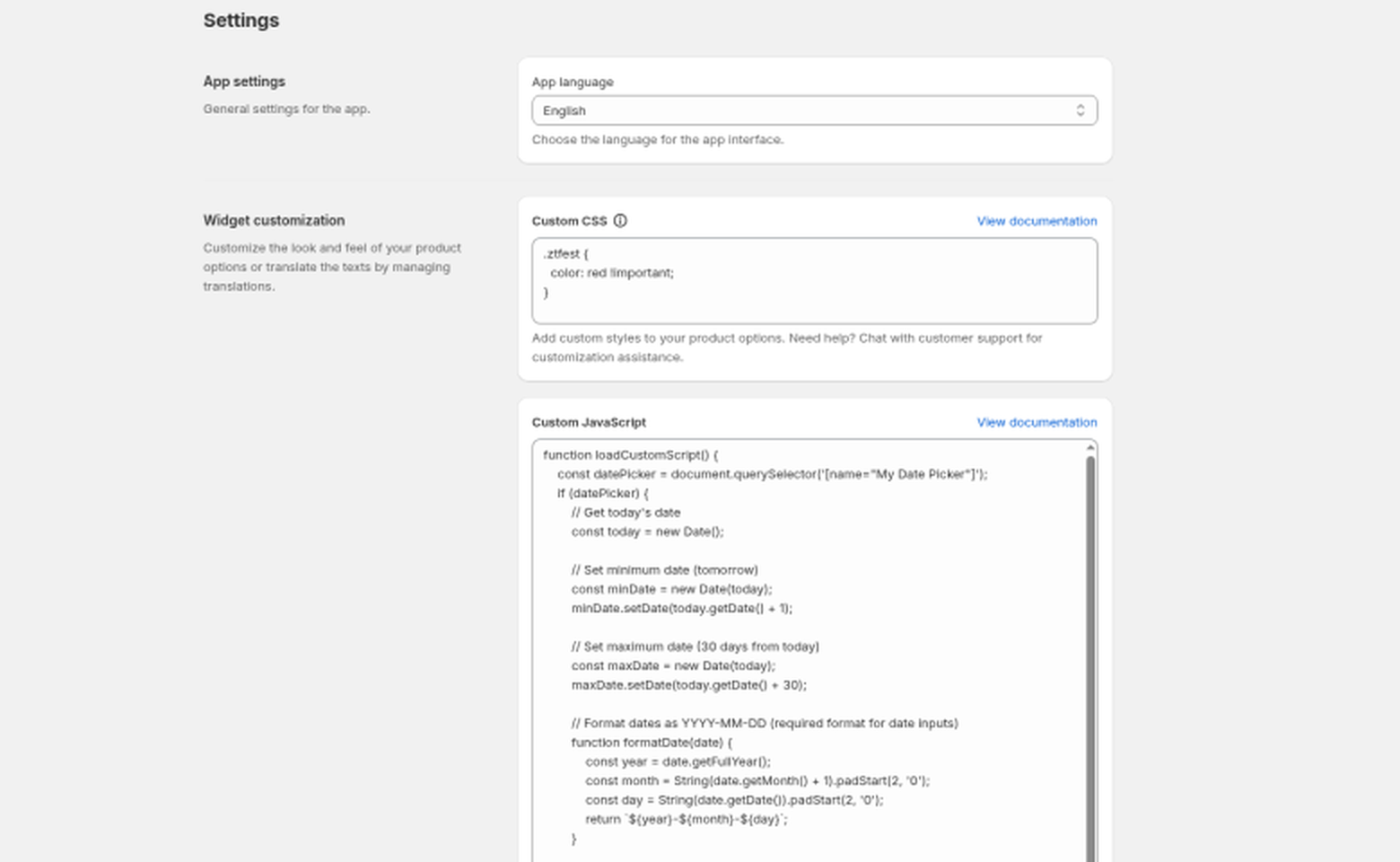
If a rule doesn't apply, your theme's CSS is probably overriding it. Add !important to the declaration.
Example: make Button values square:
.oz__option .oz__option-element-button { border-radius: 0 !important; }
Example: bold option titles:
.oz__option-label {
  font-weight: 700 !important;
}
Custom JavaScript
For advanced tweaks such as input formatting or extra validation, add custom JavaScript in Settings. The code runs on product pages where the widget loads. Only use this if you're comfortable with code; a JavaScript error can stop the widget from working.
Advanced selectors
These settings tell the widget where to find parts of your theme. You normally don't need them; reach for them when something doesn't line up:
| Setting | When to use it |
|---|---|
| Placement selector | Move the options to a specific spot on the page (a CSS selector of the element to render near) |
| Add to cart button selector | The widget can't find your theme's add to cart button, so validation or add-ons don't trigger |
| Price selector | The displayed product price doesn't update when a paid option is selected |
| Compare-at price selector | The compare-at (strikethrough) price doesn't update |
For placement problems, also consider the Options app block, which is often simpler; see Options appear in the wrong place on the page.
Still stuck? Message us from the chat in the app and we'll help.