Reply to reviews with Magic reply
Replying to reviews shows shoppers you listen. Magic reply drafts the response for you with AI, so you can answer every review in seconds.
Reply to a review
- In WiseReviews, go to Reviews.
- Select a review and click Reply.
- Write your response in the Reply to this review box, or click Magic reply to have AI draft one based on the review. You can edit the draft before sending.
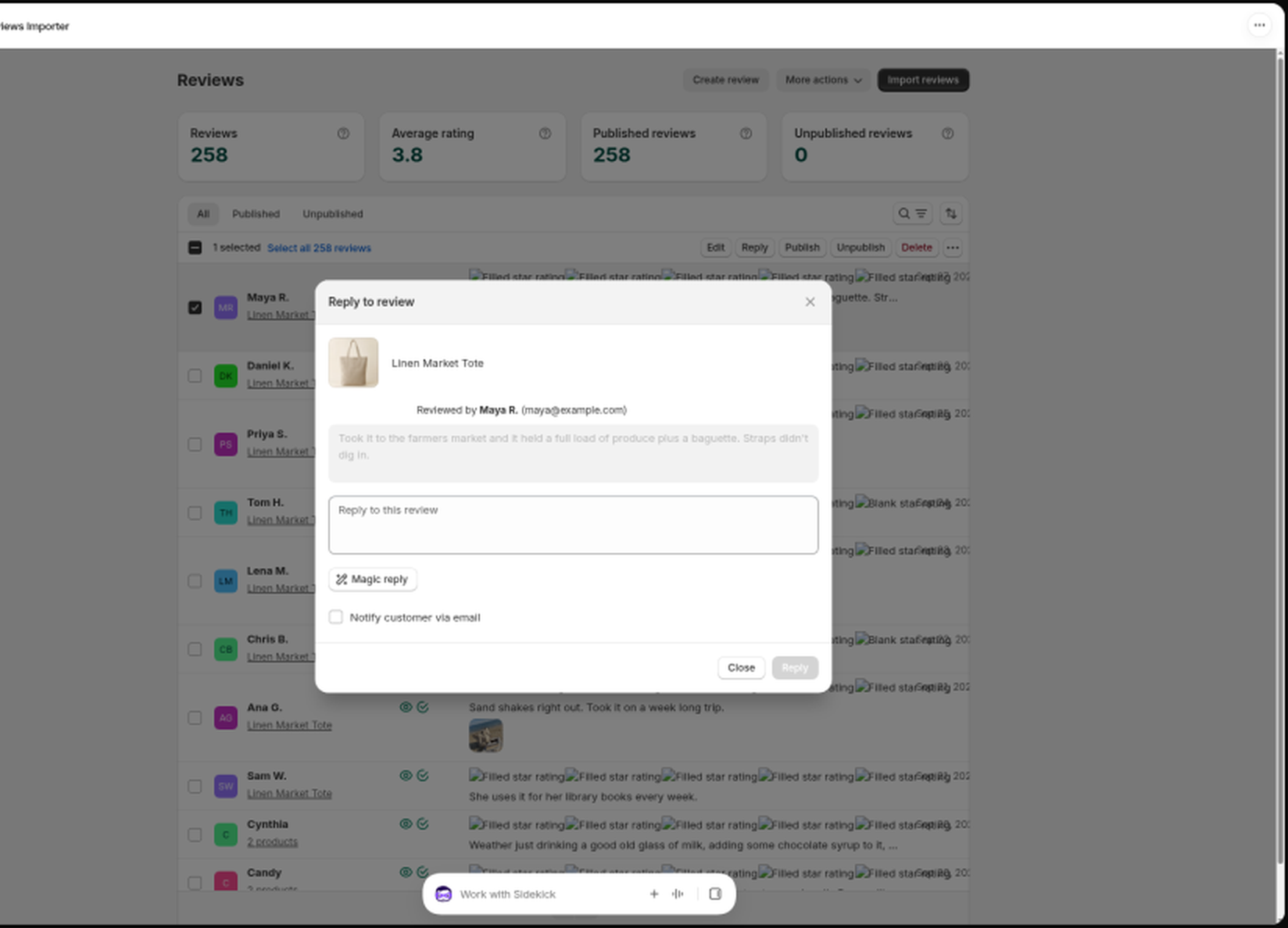
- If the reviewer left an email address, you can tick Notify customer via email to send them your reply (Standard and Plus plans).
- Click Reply.
Your reply appears under the review in the storefront widget.
If you tick Notify customer via email and that address has unsubscribed from WiseReviews emails, the reply is still saved on the review, and you are told that no email was sent. The same shared unsubscribe list covers review requests and discount emails. See Send review request emails.
Magic reply limits
Magic reply drafts are limited per calendar month by plan: 2 on Free, 20 on Standard, and 200 on Plus. If you see "You have already reached your monthly limit", wait for the new month or upgrade on the Plans page. See Plans and pricing.
Reply automatically
You can let WiseReviews reply to every new review on its own using Magic reply. Turn on Auto reply to new reviews using magic reply in Settings → Manage new reviews settings. Auto replies use your monthly Magic reply allowance too; once it runs out, new reviews are simply left without an automatic reply. See Moderate new reviews automatically.
Still stuck? Message us from the chat widget and we'll help.