Show star ratings in Google search results
Rich snippets are enhanced Google search results that show extra details like star ratings and review counts directly in the listing. They make your products stand out and typically raise click-through rates.
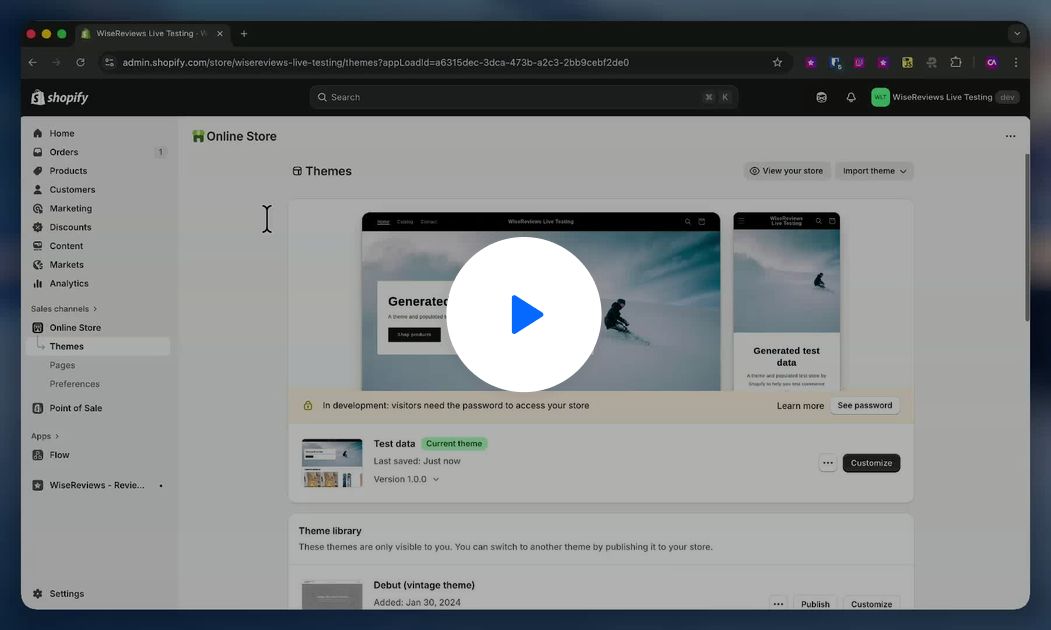
WiseReviews does not generate structured data automatically. You add a small aggregateRating snippet to your theme's schema once, and Google picks up your live rating and review count from then on. Pick the method below that matches your theme.
Google Shopping isn't covered. This review snippet adds star ratings to normal Google search results only. Stars in Google Shopping need a product reviews feed submitted in Google Merchant Center, and WiseReviews doesn't offer one.
Method 1: Your theme already has product schema (most common)
- In your Shopify admin, go to Online Store → Themes, click the ⋯ button on your live theme, and choose Edit code.
- Find your theme's product schema: look for a
<script type="application/ld+json">block insections/main-product.liquid,snippets/product-schema.liquid, or similar. - Paste this inside the product object, right after
"@type": "Product",:
{% capture productID %}{{ product.id }}{% endcapture %}
{% if shop.metafields.wisereviews.reviews.value.products[productID].average_rating %}
"aggregateRating": {
  "@type": "AggregateRating",
  "ratingValue": "{{ shop.metafields.wisereviews.reviews.value.products[productID].average_rating }}",
  "reviewCount": "{{ shop.metafields.wisereviews.reviews.value.products[productID].reviews_count }}"
},
{% endif %}
- Check the commas:
aggregateRatingneeds a trailing comma when other properties follow it. - Click Save.
Method 2: Your theme uses the structured_data filter
Some themes generate schema with Shopify's {{ product | structured_data }} filter (search your product template for structured_data). That filter can't be extended, so add a separate JSON-LD block below it instead. Google merges blocks that share the same @id:
{% capture productID %}{{ product.id }}{% endcapture %}
{% assign review_data = shop.metafields.wisereviews.reviews.value.products[productID] %}
{% if review_data.average_rating %}
<script type="application/ld+json">
{
  "@context": "http://schema.org/",
  "@type": "Product",
  "@id": "{{ product.url }}#product",
  "aggregateRating": {
    "@type": "AggregateRating",
    "ratingValue": "{{ review_data.average_rating }}",
    "reviewCount": "{{ review_data.reviews_count }}"
  }
}
</script>
{% endif %}
Keep the existing {{ product | structured_data }} line; the two blocks work together.
Method 3: Your theme has no product schema yet
Add a complete schema block at the bottom of your product template (sections/main-product.liquid or templates/product.liquid):
{%- if request.page_type == 'product' -%}
{% capture productID %}{{ product.id }}{% endcapture %}
<script type="application/ld+json">
  {
    "@context": "http://schema.org",
    "@type": "Product",
    {% if shop.metafields.wisereviews.reviews.value.products[productID].average_rating %}
    "aggregateRating": {
      "@type": "AggregateRating",
      "ratingValue": "{{ shop.metafields.wisereviews.reviews.value.products[productID].average_rating }}",
      "reviewCount": "{{ shop.metafields.wisereviews.reviews.value.products[productID].reviews_count }}"
    },
    {% endif %}
    "name": {{ product.title | json }},
    "url": {{ shop.url | append: product.url | json }},
    {%- if product.featured_media -%}
    {%- assign media_size = product.featured_media.preview_image.width | append: 'x' -%}
    "image": [
      {{ product.featured_media | img_url: media_size | prepend: "https:" | json }}
    ],
    {%- endif -%}
    "description": {{ product.description | strip_html | json }},
    "brand": {
      "@type": "Thing",
      "name": {{ product.vendor | json }}
    },
    "offers": [
      {%- for variant in product.variants -%}
      {
        "@type" : "Offer",
        {%- if variant.sku != blank -%}
        "sku": {{ variant.sku | json }},
        {%- endif -%}
        "availability" : "http://schema.org/{% if variant.available %}InStock{% else %}OutOfStock{% endif %}",
        "price" : {{ variant.price | divided_by: 100.00 | json }},
        "priceCurrency" : {{ cart.currency.iso_code | json }},
        "url" : {{ shop.url | append: variant.url | json }}
      }{% unless forloop.last %},{% endunless %}
      {%- endfor -%}
    ]
  }
</script>
{%- endif -%}
Method 4: You use a third-party SEO app
If an SEO app (like SEO Manager or Plug in SEO) manages your structured data, ask its support team to add WiseReviews ratings to their product schema and send them the Method 1 snippet. They'll know where it goes.
Verify it works
- Open Google's Rich Results Test and test a product page URL that has reviews.
- Confirm an aggregateRating section appears under the Product object with your rating value and review count, and no errors.
You can also right-click your product page, choose View Page Source, and search for "aggregateRating" to confirm the values are rendering.
When will stars appear in Google?
Typically 2 to 12 weeks after Google re-crawls your pages, depending on your site's authority and crawl frequency. To speed it up: submit your sitemap in Google Search Console, request indexing for key product pages, and keep collecting reviews. Only products with published reviews are eligible (the snippet outputs nothing for products without reviews, which is correct behavior).
Still stuck? Message us from the chat widget and we'll help.