Reward customers with a discount for reviews
Give customers a discount code as a thank-you for leaving a review. It's a proven way to collect more reviews, especially ones with photos and videos. Available on all plans.
Set up the reward
- In WiseReviews, go to Settings, then under Rewards click Go to settings.
- Choose the Type of discount: Percentage (%) or Fixed (in your store currency). Choosing No discount turns the feature off.
- Enter the Amount.
- Pick a Discount code expiration: no expiration, or 7 to 365 days after the code is created.
- Choose who earns it in Send to customer:
- Customers who posted a review with photo or video (default): encourages media reviews.
- Customers who posted any review: every review earns the discount.
- Optionally set Email subject (use
{{discount}}for the amount and{{shop_name}}for your store name). - Click Save.
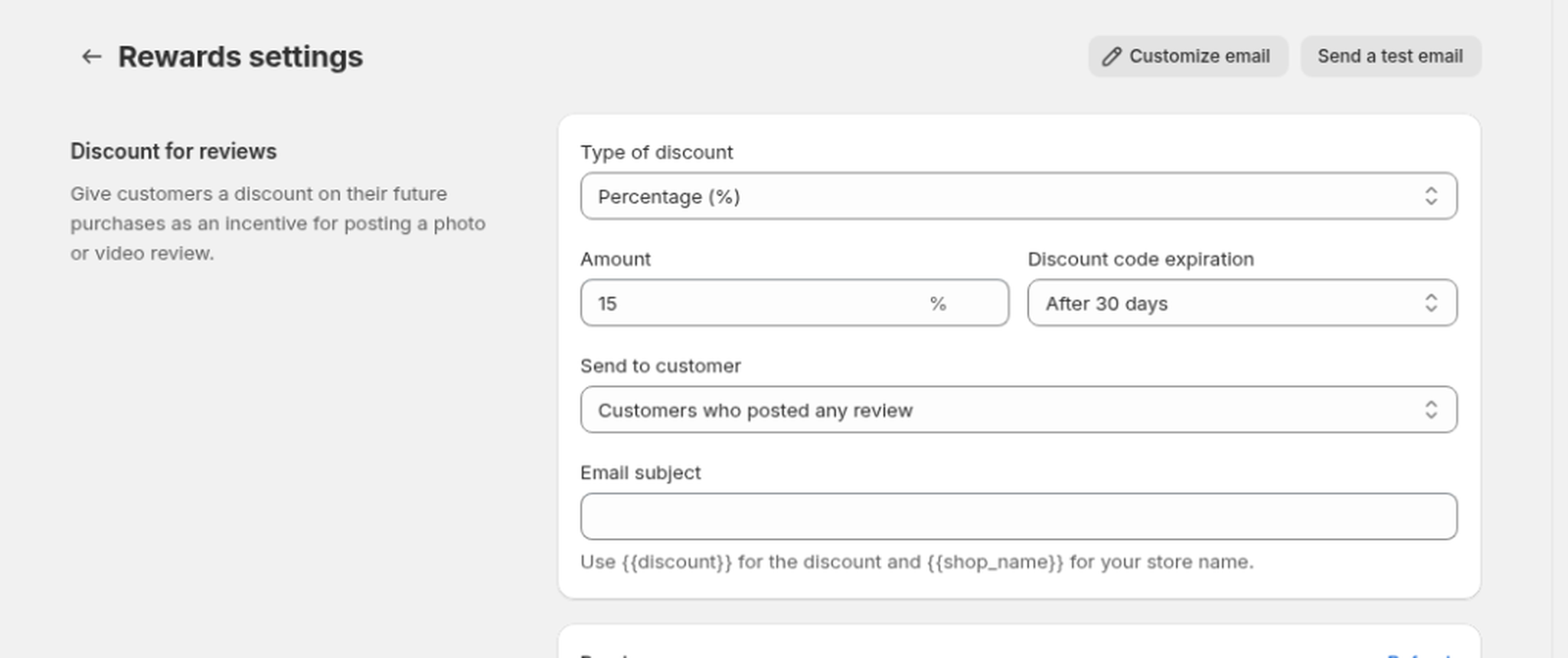
Use Send a test email to see the email your customers will receive.
Customize the reward email
With a discount type other than No discount, open Rewards settings and click Customize email (top right).
Edit it like the review request email. Use these merge tags for the reward:
| Merge tag | Becomes |
|---|---|
{{discount}} |
The discount amount (for example, 15% or $10) |
{{discount_code}} |
The unique code the customer redeems |
{{discount_url}} |
A link that applies the code at checkout |
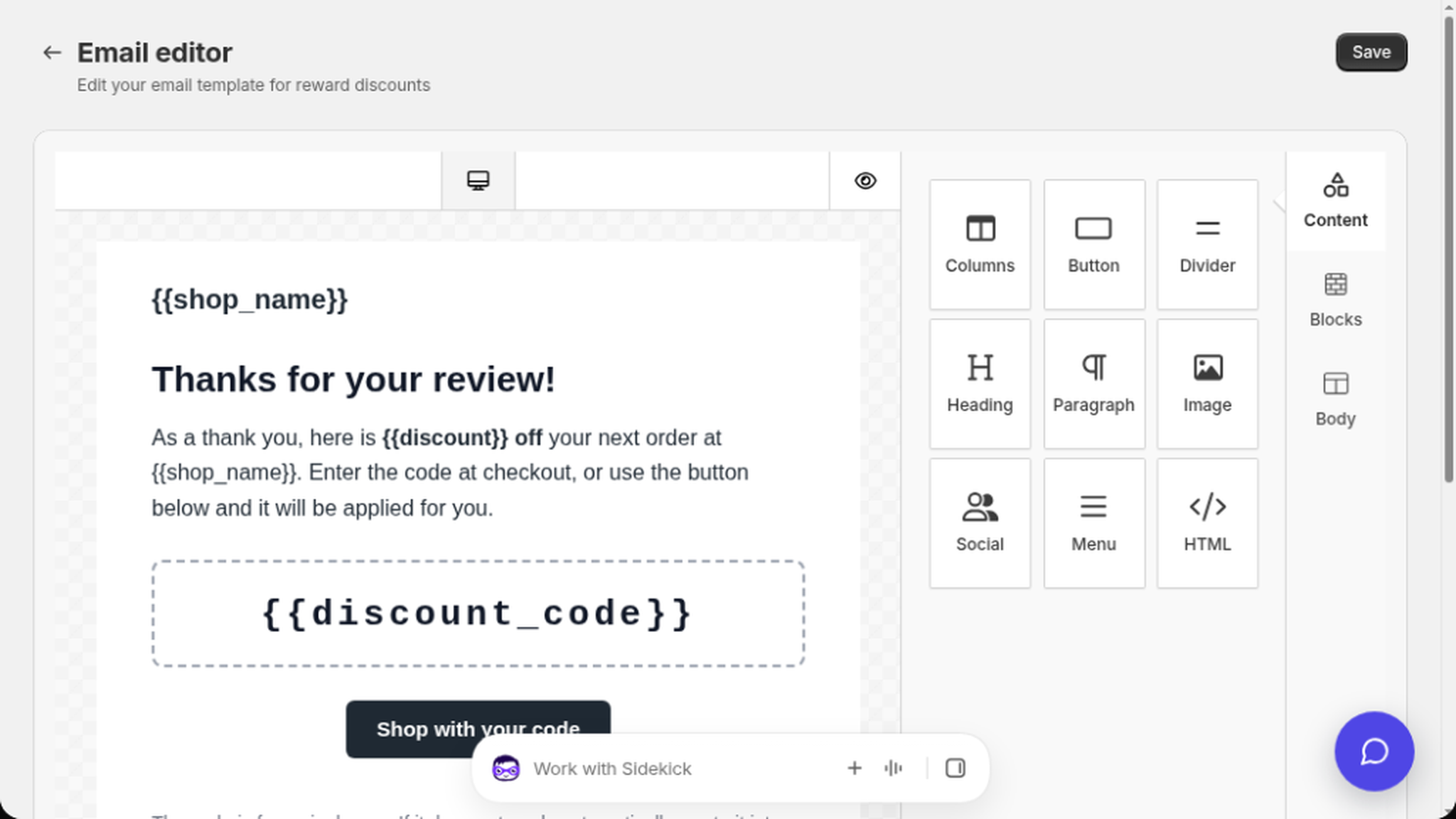
Set the subject in the Email subject field on Rewards settings, then click Save on that page. In the email editor, click Save when you finish the design.
Until you save a custom design, customers get the built-in reward email. After you save, the Preview card and real sends use your template.
How customers get their code
When a customer submits a qualifying review on your storefront (with a valid email address), WiseReviews automatically:
- Creates a unique, single-use discount code in your Shopify store, with the expiration you chose.
- Emails the code to the reviewer, including a link that applies the discount at checkout.
The discount email includes an unsubscribe link. If that address is already on your shop's unsubscribed list (from a review request or another WiseReviews customer email), no discount code is created and no email is sent. See Send review request emails.
The discount applies storewide and can be used once. You can find the generated discounts in your Shopify admin under Discounts: the discount's title starts with "WiseReviews", and the code your customer redeems starts with "DC-".
Still stuck? Message us from the chat widget and we'll help.